
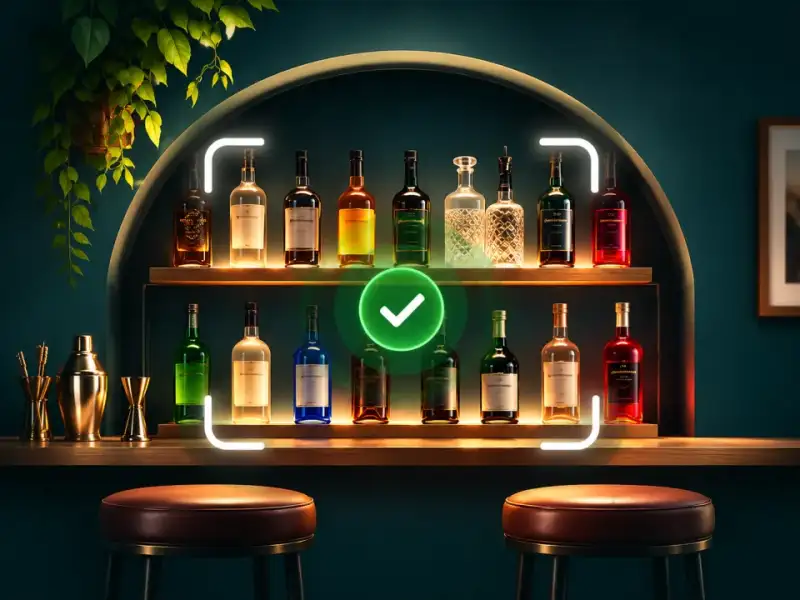
The world's first virtual bartender that can see your bar
Show it your bottles and just talk. Tell it what you have, what you like and what you don't, and it comes back with cocktails you can make right now. Change your mind, ask for something else, then let it talk you through the recipe.
- 3,400+ recipes
- Truly interactive
- 3 free video scans


Your personal bartender
Listening
Show me your bottles.
Scotch, Cointreau, amaretto. Nice shelf. Got any mixers in?
Tonic and ginger beer. Oh, and there's gin in the cupboard.
Got it. What do you fancy?
Something citrusy, not too sweet.
I'd go for a White Lady. Gin, Cointreau and lemon: sharp and clean.
Hmm, it's not really a gin night.
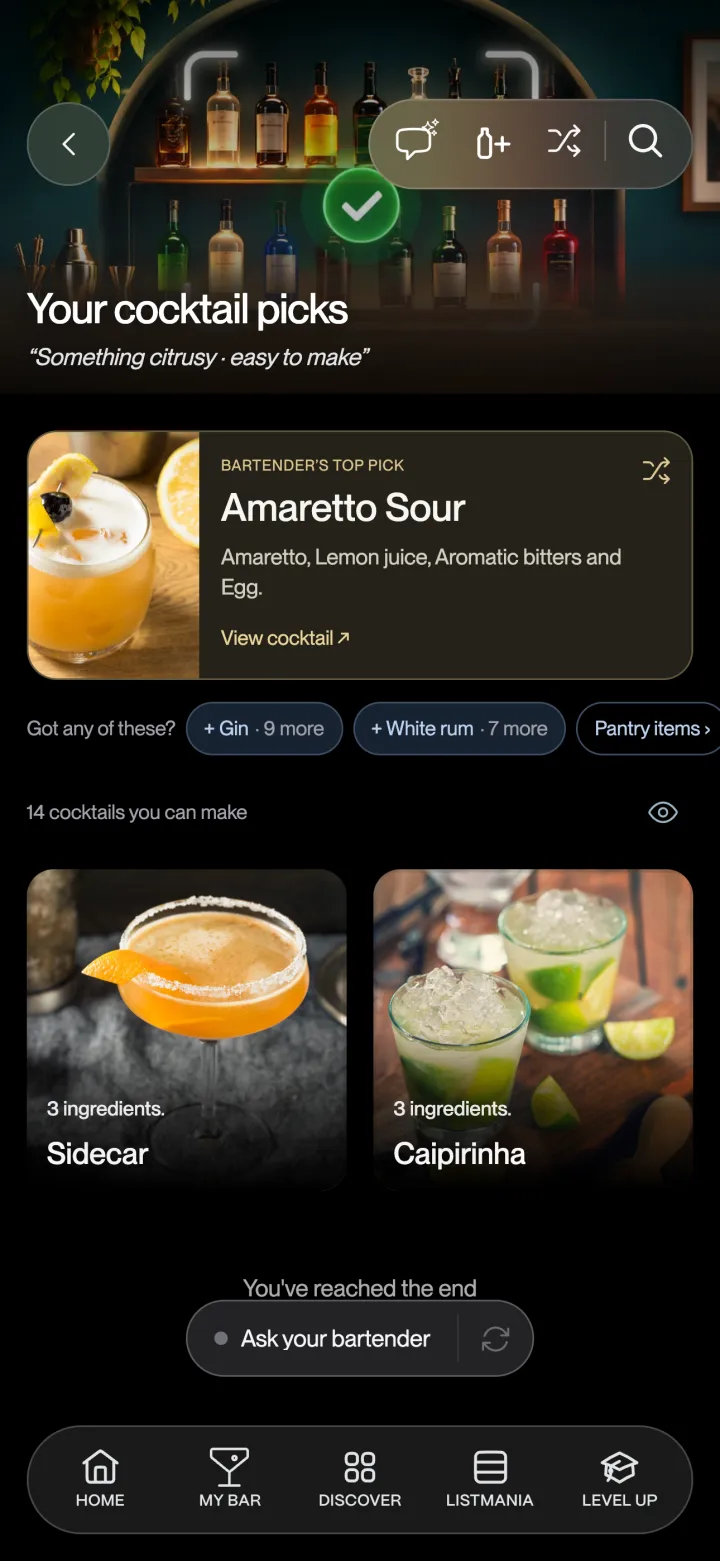
Then an Amaretto Sour. Amaretto, lemon and a dash of bitters, and you have everything for it.
Perfect. Take me through it.
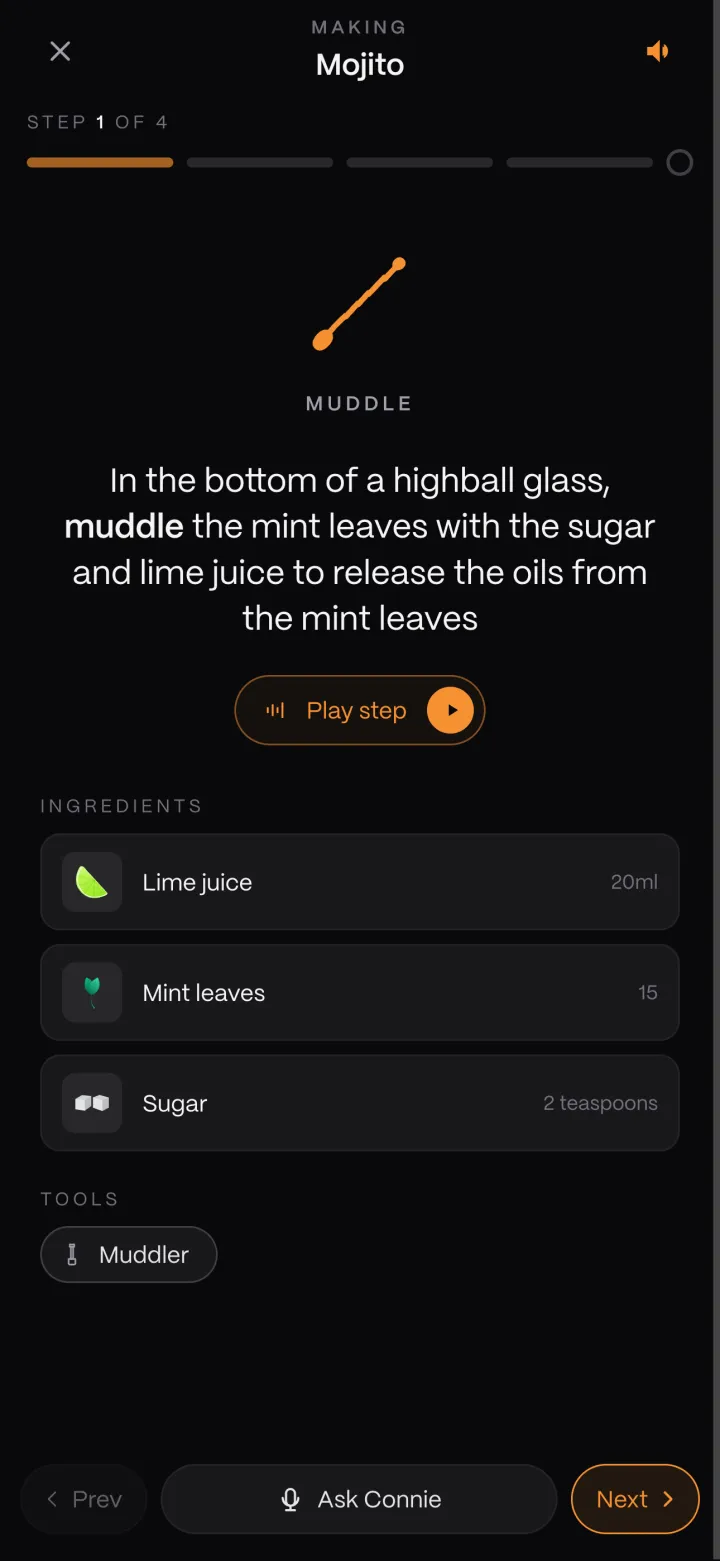
Step one. Add the amaretto and lemon juice to your shaker.
 Brandy
Chambord
Scotch
Cachaça
Coconut rum
Cointreau
Amaretto
On your shelf
- Brandy
- Chambord
- Scotch
- Cachaça
- Coconut rum
- Cointreau
- Amaretto
- Gin
- Tonic water
- Ginger beer
Bartender's top pick
White Lady
Amaretto Sour
Truly interactive. A conversation, not a search box.
Most cocktail apps start with a recipe and leave you to find out you are missing half of it. Our virtual bartender starts with your shelf and a chat. It looks at what you own, asks what you are in the mood for, and suggests cocktails you can make this minute.
Then you answer back, the way you would across a bar. "Not that one." "Something less sweet." "Actually, I've got ginger beer too." Each time it listens, takes it on board and comes back with a new idea, until you land on the drink you want.
It all happens out loud, in the Make Me a Cocktail app for iPhone and Android. No typing ingredient lists, no scrolling through recipes you cannot make.
The world's first
A bartender that looks at your actual bottles, talks it over with you and stays with you until the drink is in the glass. Nobody has put all of that in one app before.
Truly interactive
Interrupt it. Change your mind. Tell it what you hate. It listens, answers out loud and comes straight back with a better idea.
You have to use it to believe it
Watching it name your bottles one by one, then chat about what to make with them, is a little bit magic. Three free scans are waiting.
How the world's first seeing, talking virtual bartender works
From a shelf of bottles to a finished drink in four steps.
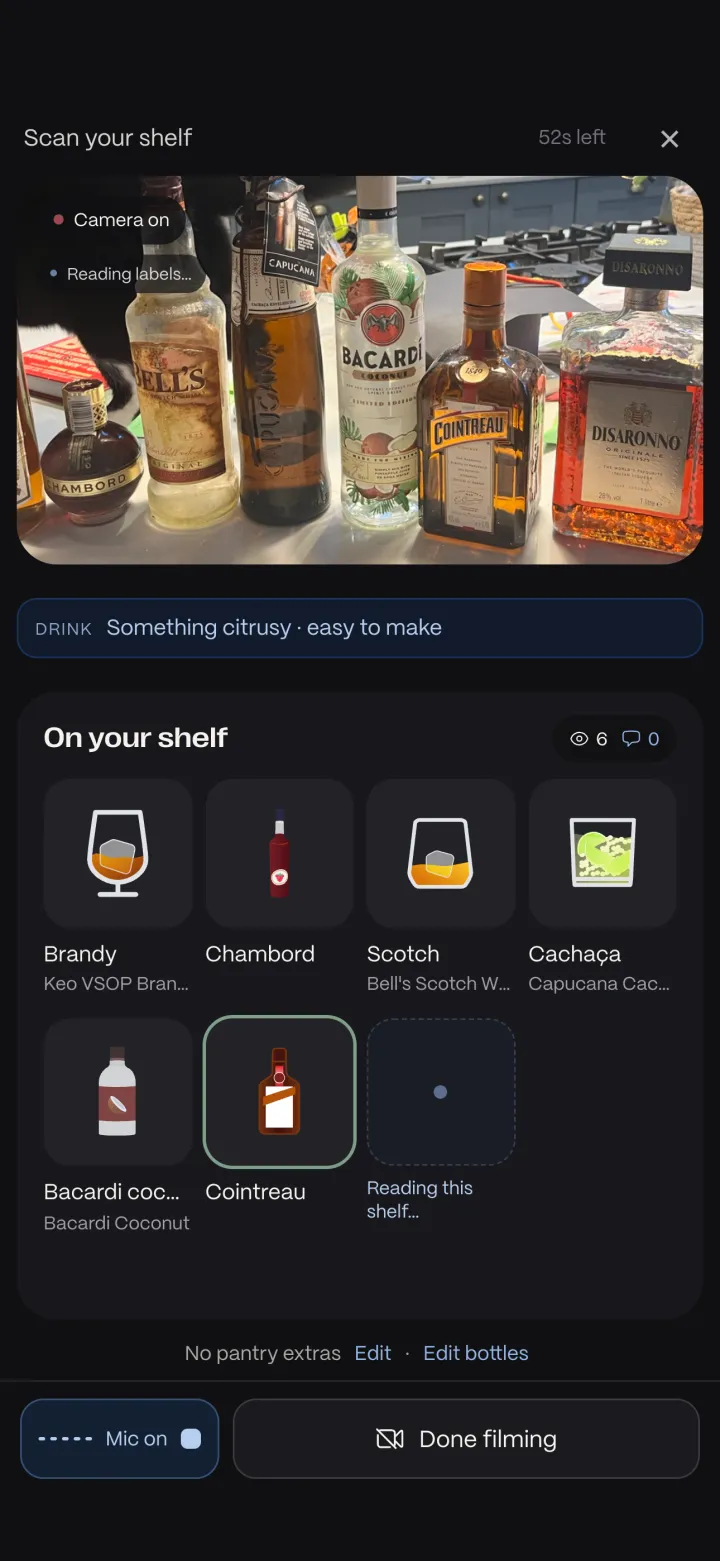
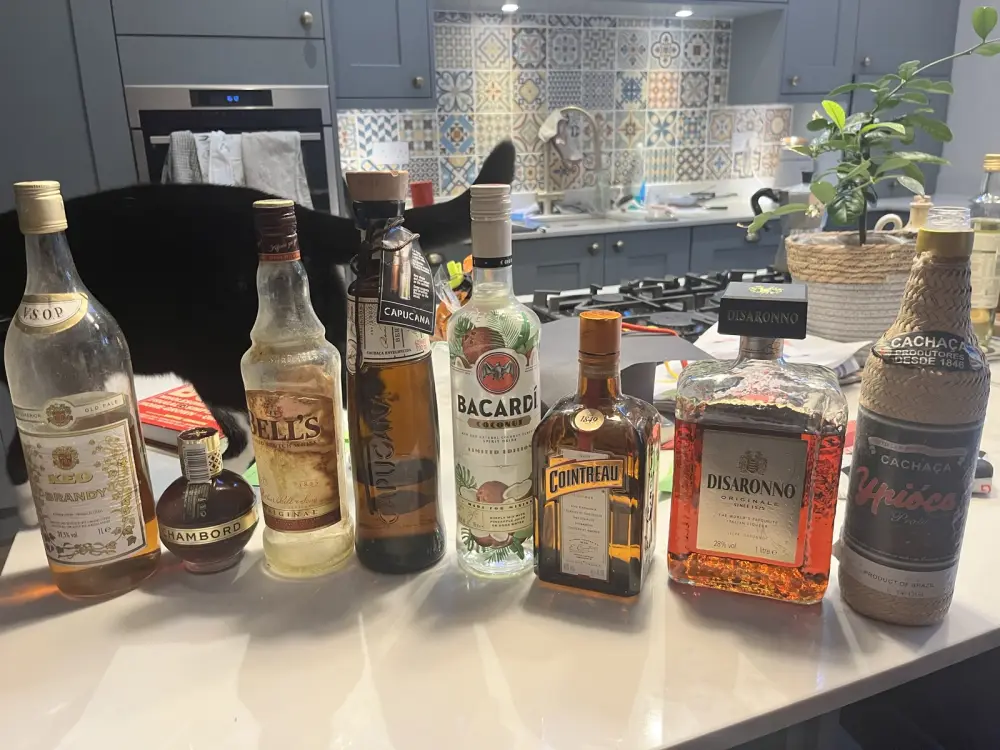
Video your bar
Open the camera and pan slowly across your bottles. Your bartender reads the labels as you go and each bottle appears on screen the moment it is recognised. A full shelf takes under a minute.
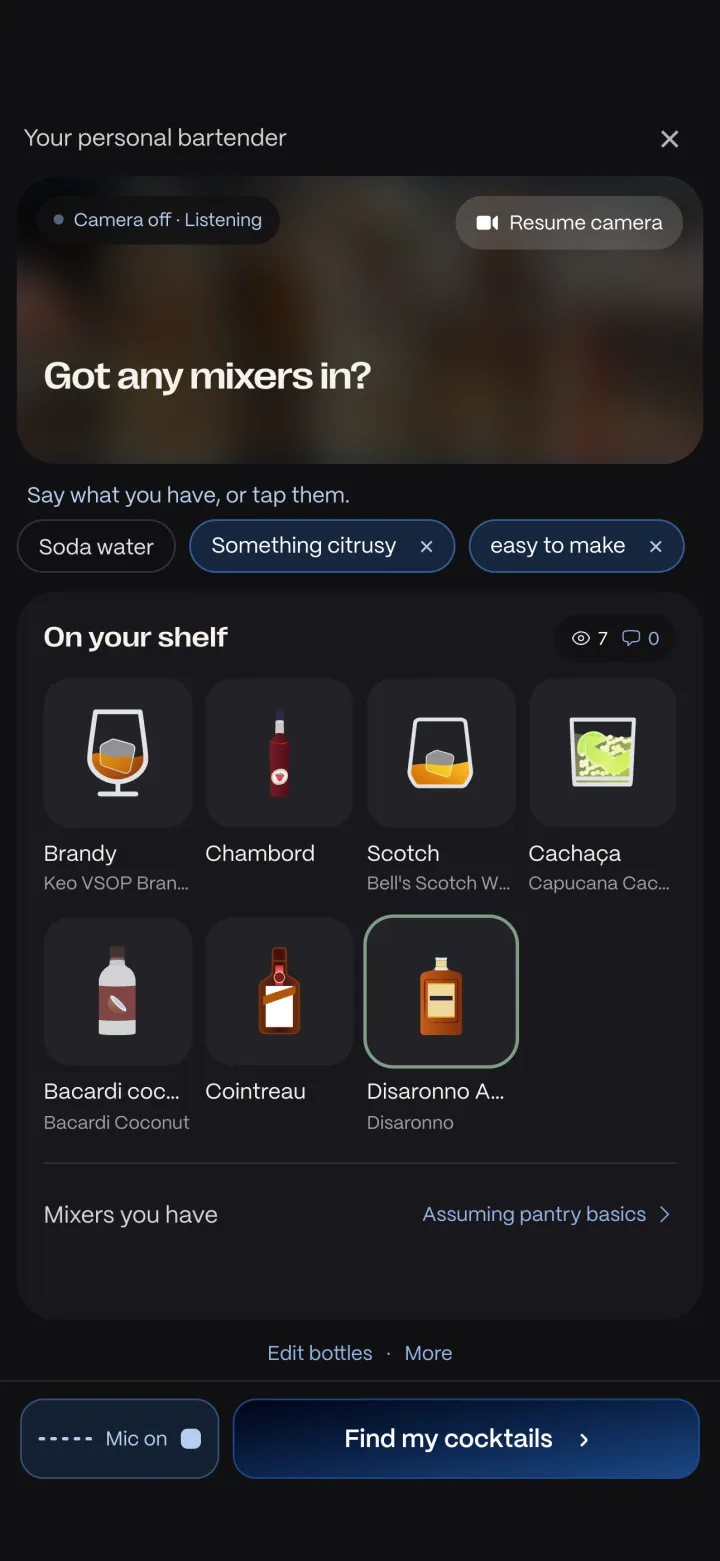
Tell it what you have and what you like
Just talk. Name a bottle the camera missed and it is added. Say which mixers are in the fridge. Then say what you are in the mood for: something citrusy and easy, something strong, a sour, a drink for a hot afternoon. Your bartender assumes kitchen basics such as lemons and limes.
Go back and forth until it's right
Your bartender comes back with a top pick and a short reason why, plus every other cocktail you can make. Not keen? Say what you don't like about it and you get a different idea. Remembered another bottle? Mention it and the picks update. Say yes and the recipe opens.
Make it together
Your bartender reads each step aloud and waits for you. Say "next", "go back" or "say that again" with a shaker in your hand. Ask about a swap, the right glass or how long to shake, and get a short, straight answer.
Truly conversational: just say it
There are no commands to learn. Talk the way you would across a bar, and change your mind as often as you like.
While you scan
- “I've also got a bottle of Campari.”
- “That one is a spiced rum, not a dark rum.”
- “I've got tonic and ginger beer in the fridge.”
- “That's everything.”
Choosing a drink
- “Something citrusy and easy to make.”
- “Can I make a sour?”
- “Not that one. What else have you got?”
- “Less sweet, and no gin tonight.”
While you make it
- “Next.”
- “Say that again.”
- “I'm out of limes. What can I use?”
- “Which glass should this go in?”
Uncannily like a real bartender
It only suggests what you can make
Every pick comes from our own recipe collection and is checked against the bottles and mixers you actually have. No invented recipes, no missing ingredients.
It knows a sour from something sour
Ask for a sour and you get sours. Ask for something sour and you get tart drinks of any kind. If only one cocktail fits, it tells you plainly.
Swaps from your own shelf
Out of an ingredient halfway through? Your bartender suggests a substitute from the bottles and pantry items it already knows you have.
Properly hands-free
Move through a recipe by voice alone. Sticky fingers never need to touch the screen.
It speaks your language
Your bartender replies in the language your app is set to, and switches if you ask it to.
You stay in charge
Check, correct or remove any bottle before you see your cocktails. A scan never changes your saved bar unless you choose to keep it.
Free to try, unlimited with Premium
The app is free to download and every member can try the virtual bartender.
Free
- 3 video scans with your bartender
- Every recipe, with step-by-step voice guidance
- My Bar: add your bottles by hand and see what you can make
Premium
- Unlimited video scans
- Unlimited questions to Cocktail Connie, tailored to your bar
- Smart swaps, multiple bars and masterclass tips
Virtual bartender questions
It is a voice and camera assistant inside the Make Me a Cocktail app. You video your bottles, tell it what you feel like drinking, and it suggests cocktails you can make right now from more than 3,400 recipes. It then talks you through making the one you choose.
The app is free to download and every member gets 3 free video scans. Premium members get unlimited video scans.
As you pan your phone across the shelf it reads the labels and matches each bottle to our ingredient catalogue. Recognised bottles appear on screen as it goes, so you can check the list before you look for cocktails.
Tell it. Say the name of the bottle out loud and it is added, or tap Edit bottles to correct or remove anything. If a label is unclear your bartender asks what kind of drink it is.
Yes. It assumes a few kitchen basics such as lemons and limes, asks which mixers you have, and lets you edit both lists. Anything you say you have is included when it works out your cocktails.
Yes. Once you pick a drink your bartender reads each step aloud. Say "next", "go back" or "say that again" to move through the recipe without touching your phone, and ask questions about technique, glassware or substitutions at any point.
No. A video scan builds a list for that session only, so you can scan a friend's drinks cabinet without touching your own bar. You can choose to keep the bottles afterwards.
No. The camera and microphone are only on while you are with your bartender. Tap Done filming to switch the camera off and carry on talking, and mute the microphone whenever you like.
The virtual bartender is in the iPhone and Android app, where it can use your camera and microphone. On the website, My Bar shows you every cocktail you can make from the ingredients you add.
Yes, a free Make Me a Cocktail account. It is the same account on the website and in the app, so your bar and favourites stay in sync.
Prefer to tap than talk?
My Bar does the same job by hand, on the website and in the app. Add your bottles once and see every cocktail you can make.
Read the My Bar guideYou have to use it to believe it
Download the app, point it at your bottles and meet the world's first virtual bartender that can see your bar.